
Warnings where you plan the day
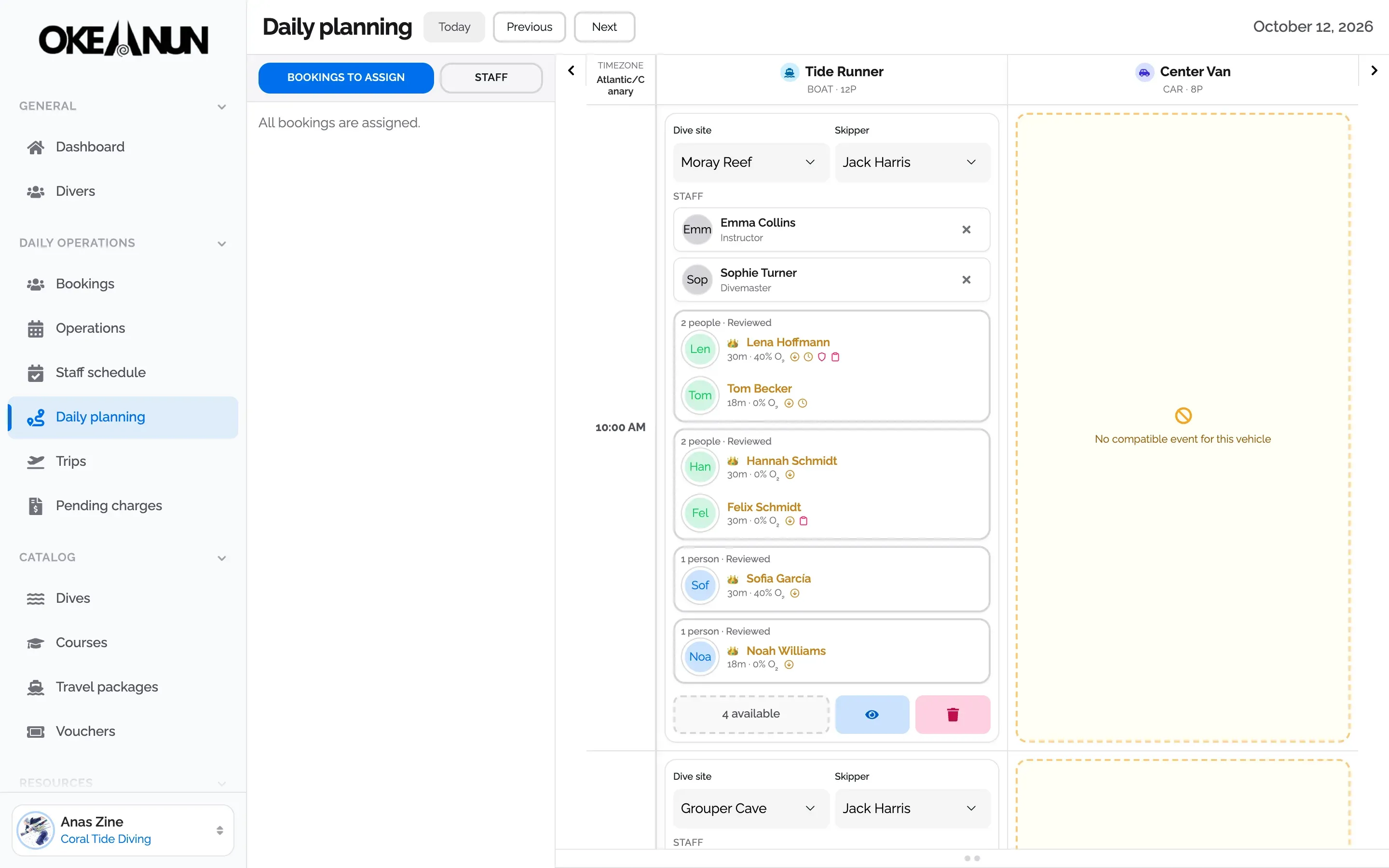
On the daily planner, each diver on a boat shows their certified depth and nitrox level, with a warning if something is missing or their last dive was a long time ago. You see it before the boat leaves, not on board.
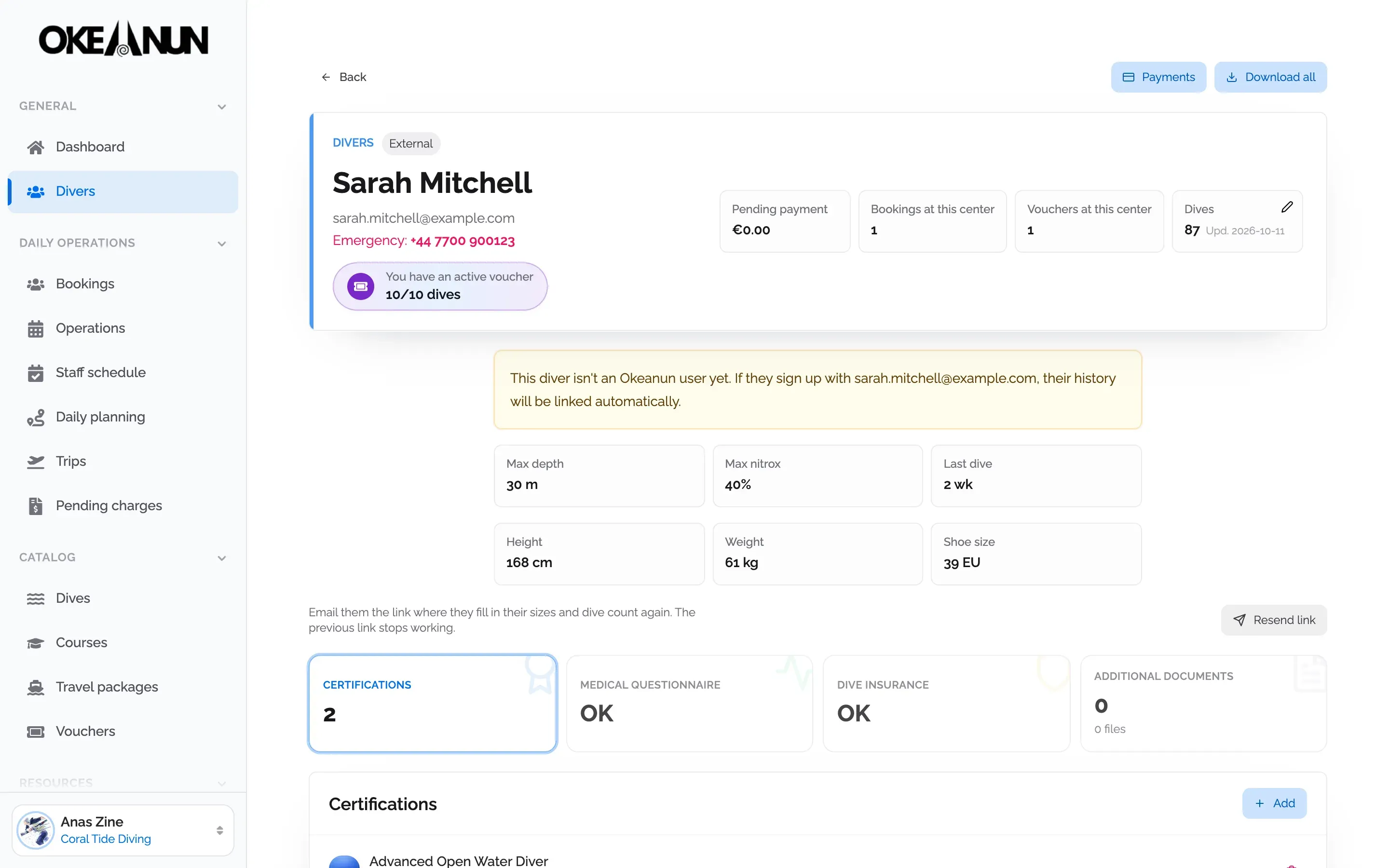
Okeanun reviews certifications and tells each diver what is missing before they arrive. Your team checks everything in one profile.
On the daily planner, each diver on a boat shows their certified depth and nitrox level, with a warning if something is missing or their last dive was a long time ago. You see it before the boat leaves, not on board.
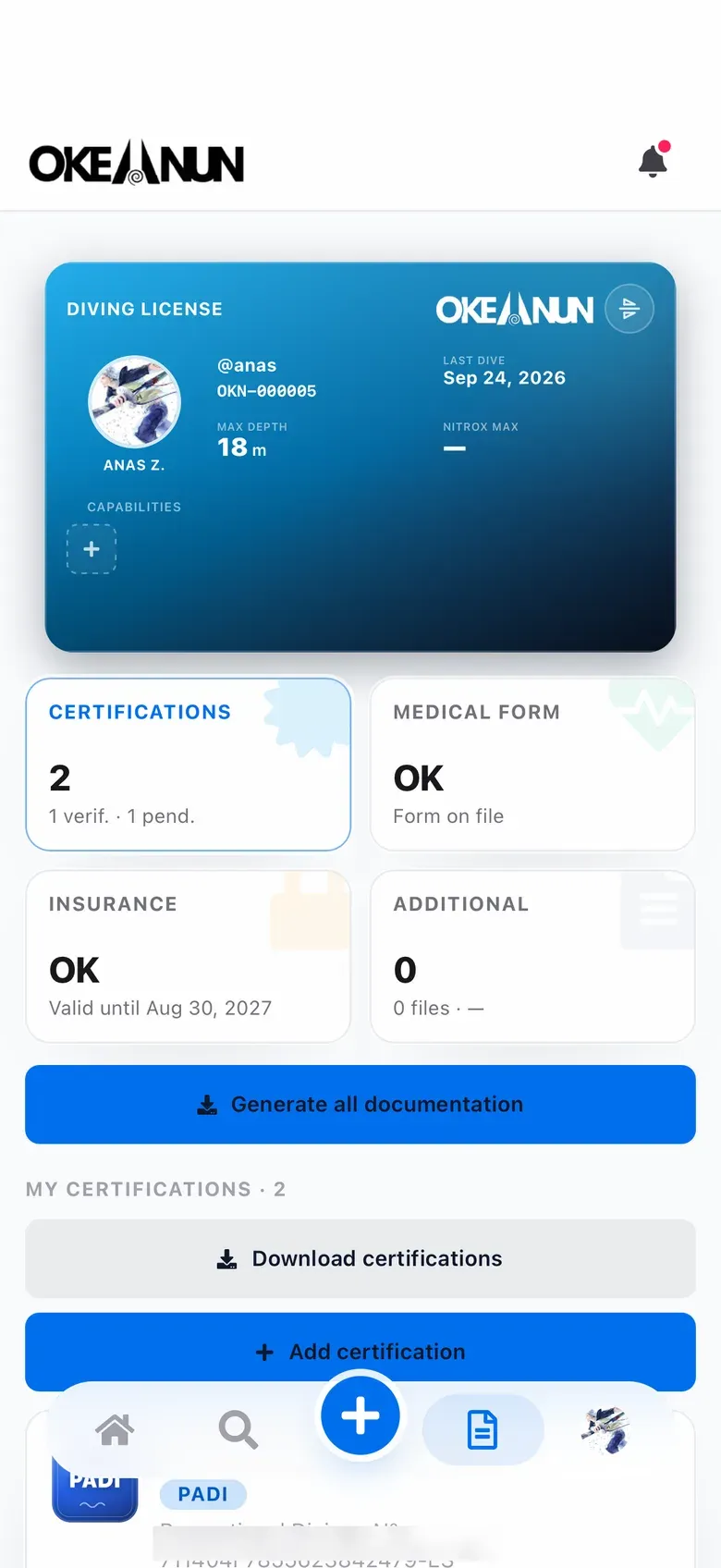
Divers with the free Okeanun app keep their certifications, medical questionnaire and insurance in their profile, and share them with your center when they accept your request.
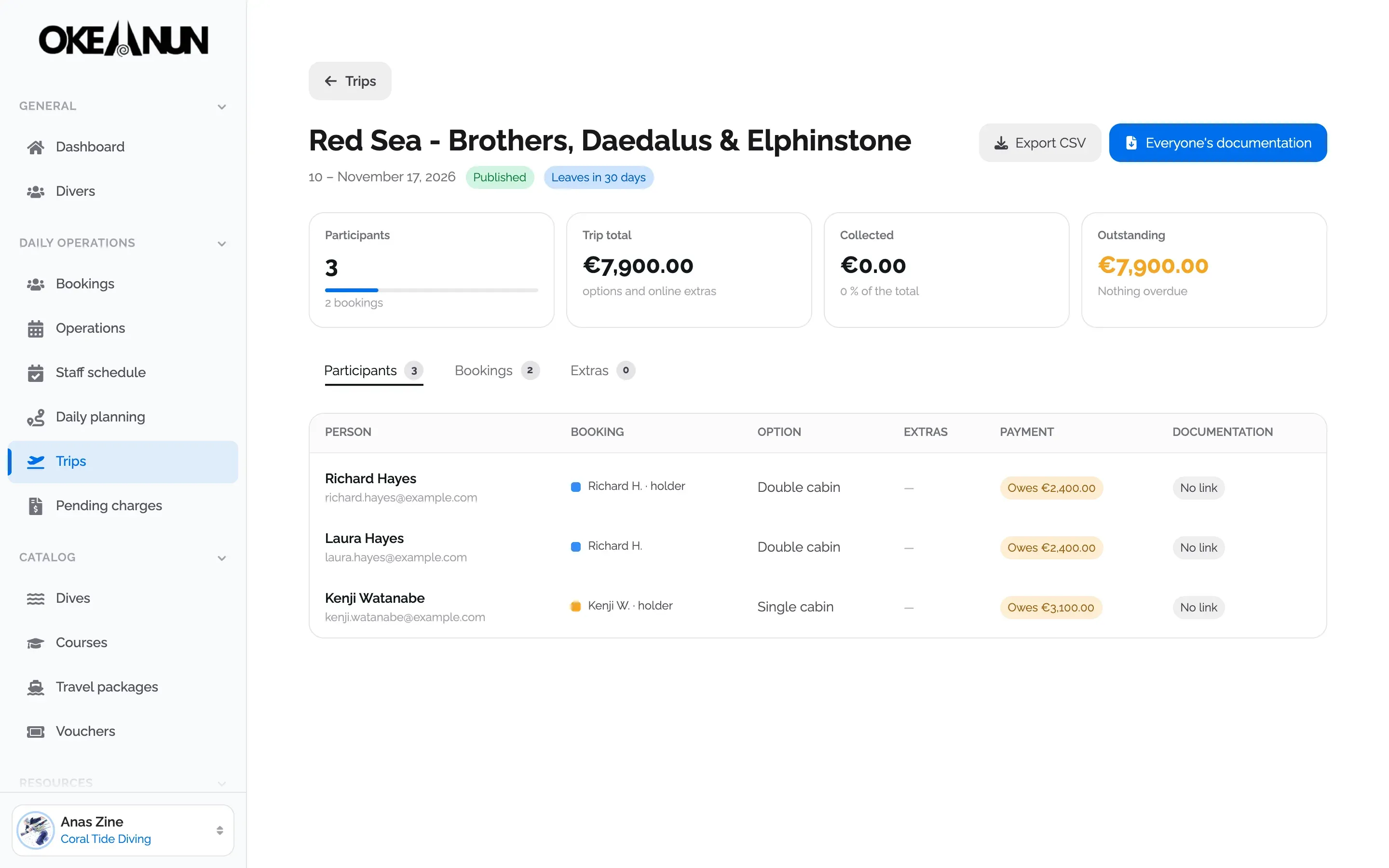
For liveaboards and trips, the participant list shows the status of each person's documentation, and you can download everyone's files for the departure at once.
Checking certifications at the counter is slow and it happens at the worst moment, when the boat is about to leave. Okeanun Manager moves that work to the moment of booking.
Each activity has its requirements: a minimum certification or depth, nitrox for some dives, valid insurance and a medical questionnaire. When someone books, Okeanun checks their profile against those requirements and sends one email with everything that is missing. Divers complete it from the Okeanun app or from a secure link, and your team sees the result on the diver’s profile and on the daily planner.
Access is always with the diver’s consent, and every diver can see and revoke which centers have access to their data from the app.
What people ask us most about this feature.
Okeanun reviews each certification card against its catalog of agencies, which includes PADI, SSI and FEDAS. The review does not replace the checks and decisions each dive center must make before a dive.
When they book, Okeanun compares what the activity requires (certification, depth, nitrox, insurance and medical questionnaire) with what they have, and emails them one list with everything missing and a link to complete it.
Divers without an account receive a secure link to fill in their sizes and dive count and upload their documents. You can also add certifications, insurance and other documents to their profile yourself.
The center only sees a diver's documents once the diver accepts the request, and they can revoke it at any time. Until then, Manager shows only what the diver has shared with your center for their bookings.
Yes. From each diver's profile you can download all their documents, and from a trip you can download the documentation of every participant.
Create your account and set up your center with a step-by-step wizard: details, booking page, subscription and payments.
One monthly plan, everything included