Skip to content

Online booking for dive centers

Your own booking page with dives, courses, trips and vouchers. Divers pick a day, book in two steps and pay online.

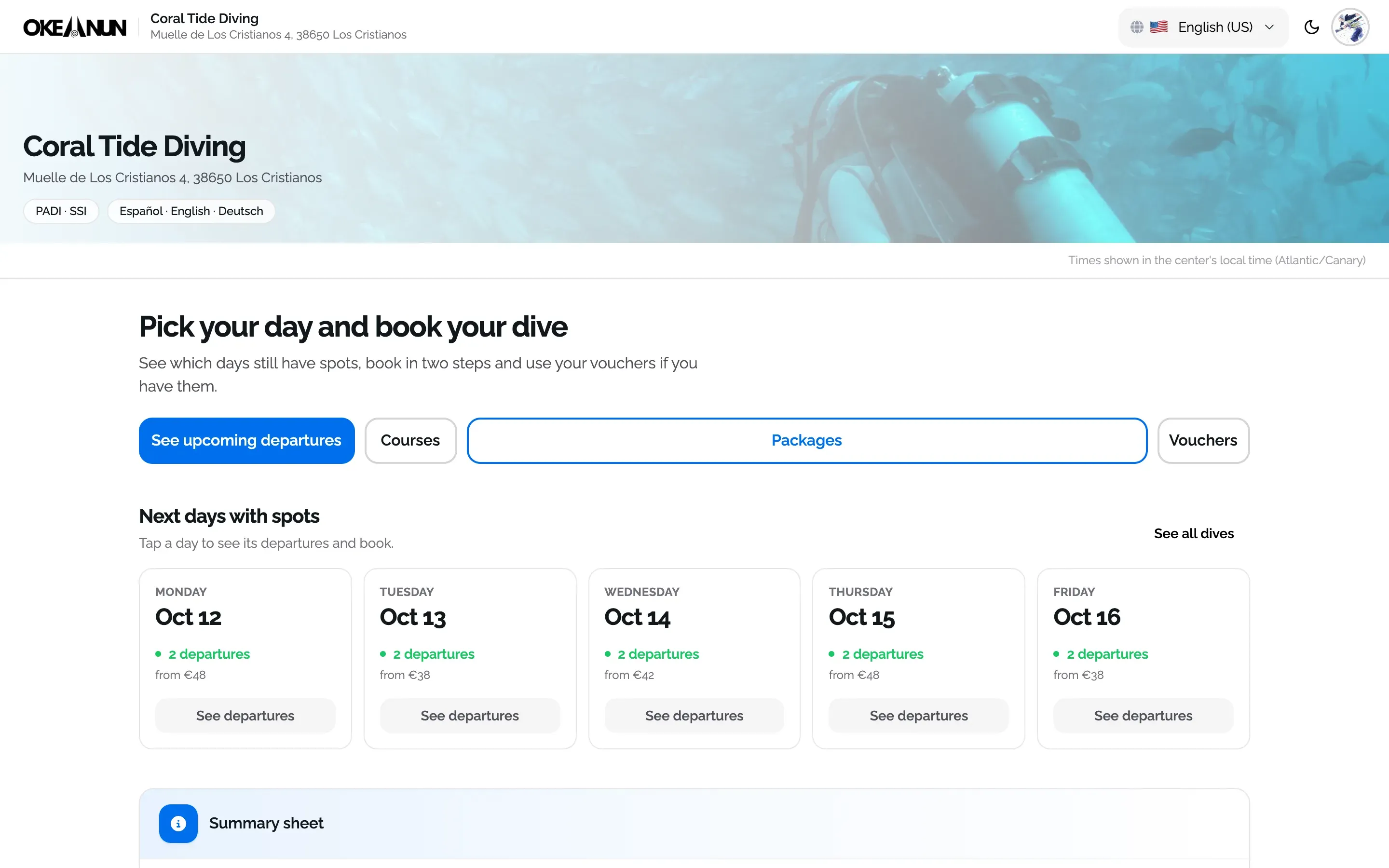
Public booking page of a dive center showing the next days with available dives and prices

Every booking lands in one list

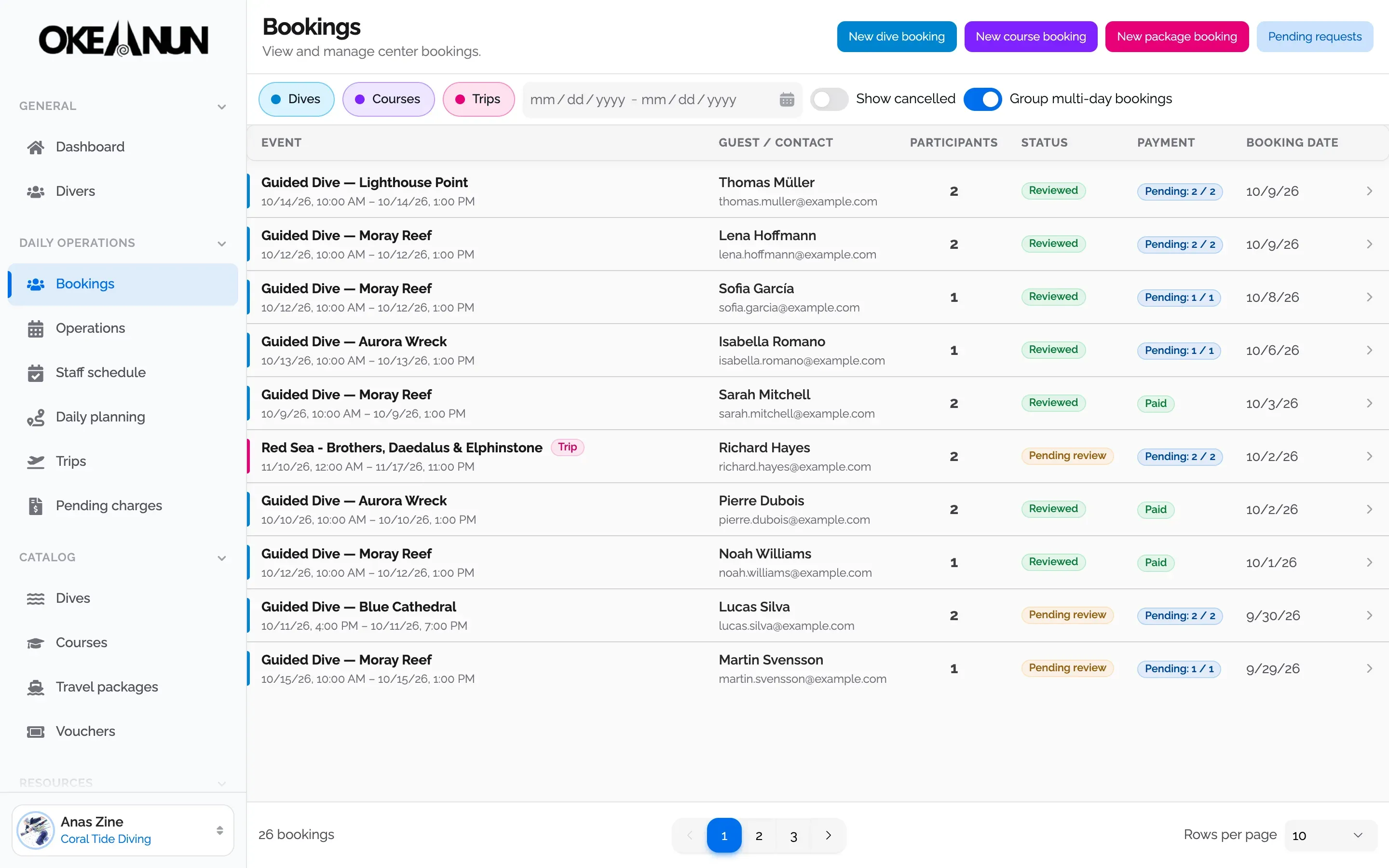
Bookings from your page, the phone and the counter end up in the same list, with the people in each group, their status and what they have paid. Filter dives, courses and trips, and see a week of dives for one group as a single booking.

Bookings list with guided dives and liveaboard trips, the guest of each booking, its status and payment

Also inside the Okeanun app

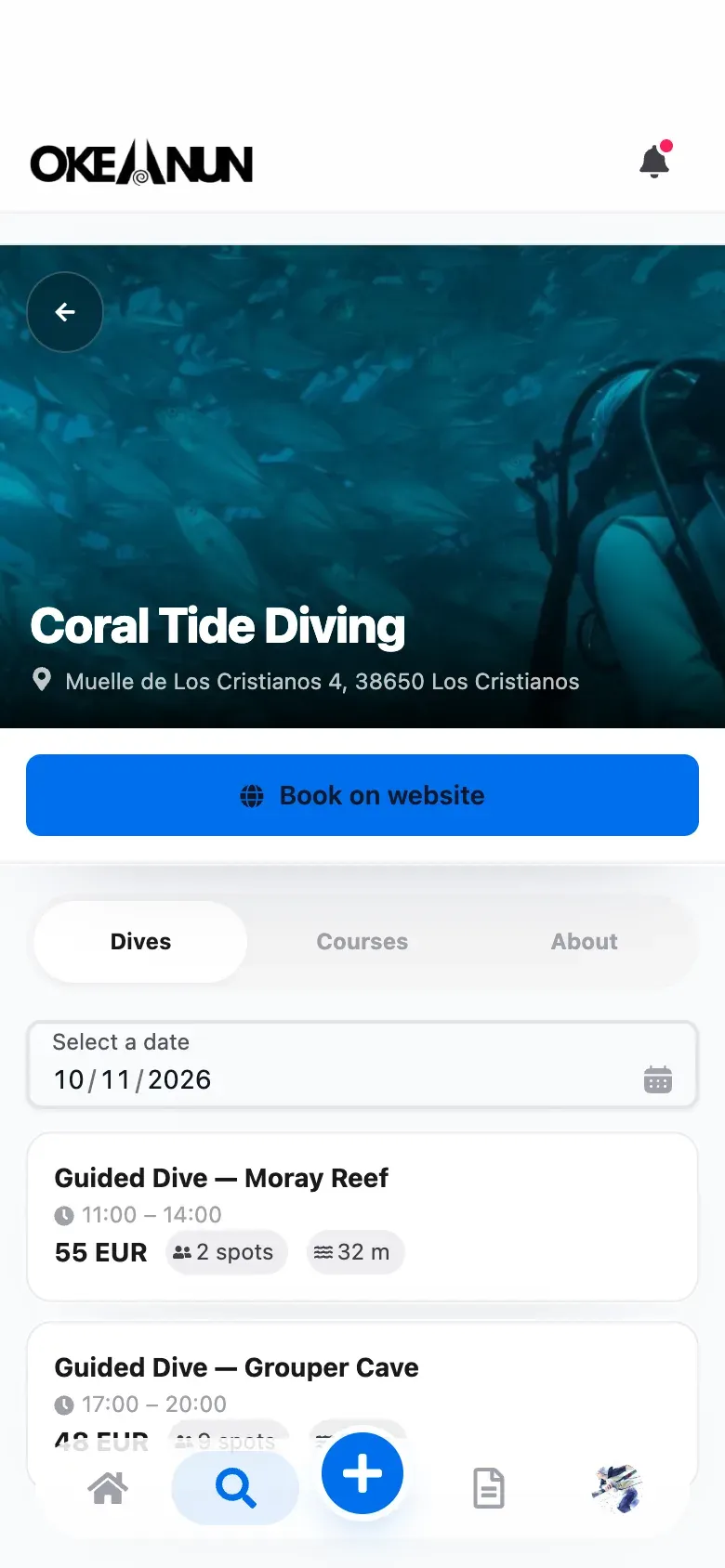
Divers who use the Okeanun app find your center on the map, see your dives by date and book from their phone, with their certifications and documents already in their profile.

Dive center profile in the Okeanun app with its upcoming guided dives, prices and free spots

Documents checked before they arrive

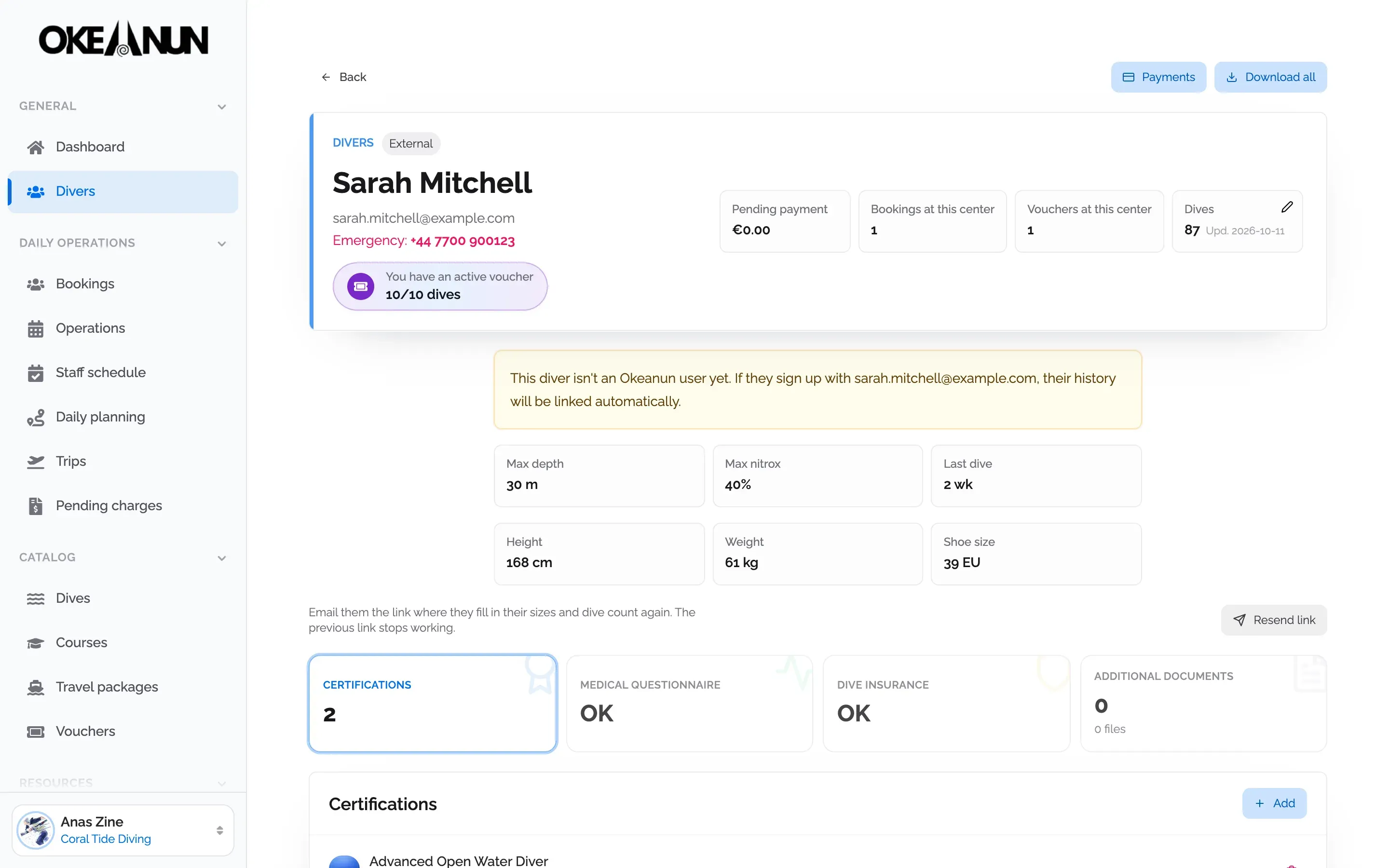
Each activity knows what it requires. When someone books, Okeanun checks their certification, depth, nitrox, insurance and medical questionnaire, and emails them a list of anything missing so you do not have to chase it at the dock.

Diver profile in Okeanun Manager with certified depth, nitrox, last dive and documents marked as complete

A booking page that knows how a dive center works

A contact form or a generic booking plugin leaves the hard part to you: confirming the level of each diver, collecting their documents and fitting them into the right boat. Okeanun Manager gives every dive center its own public booking page, built for dives, courses and trips.

Divers see the next days with free spots and the price of each dive, choose a departure and book in two steps. If you have connected Stripe, they pay online and the money goes straight into your account. If not, they book and pay at the center.

How it works

  • Dives appear by day, from the calendar where you plan them, with their price and free spots.
  • Courses can be booked with the dates you set or as a request for the diver’s preferred dates.
  • Trips and liveaboards show each departure with its cabins, extras and instalment plan.
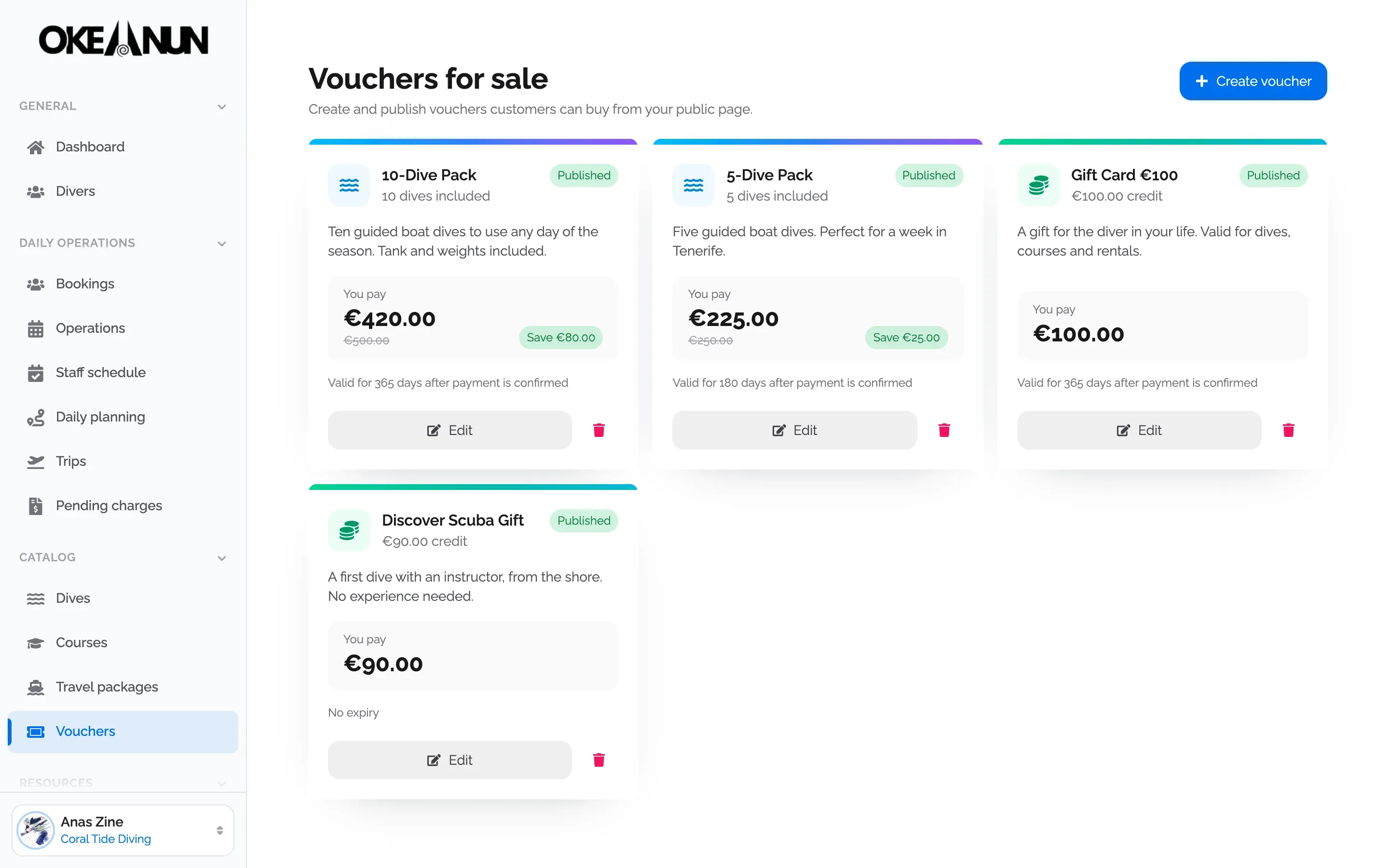
  • Vouchers can be bought online and used later on any booking.

Each booking arrives in Manager with the diver’s details, the documents the activity requires and its payment status, ready for the daily planner.


Questions about online booking

What people ask us most about this feature.

Do divers need an account to book?

No. They can book as a guest with their name and email, or use their Okeanun account so their certifications and documents come with them.

Can I approve bookings before confirming them?

Yes. Each type of activity can work with fixed capacity, where divers book directly, or on request, where you review each request and approve or decline it. The diver gets an email either way.

Can one person book for a whole group?

Yes. You can hold spots for the rest of the group and share a single link, so each companion adds their own details and documents when they can.

What can I sell on the booking page?

Dives by date, courses, trips and liveaboards with their departures and cabins, and vouchers or gift cards. You decide which tabs are visible.

Which languages does the booking page support?

Spanish, English, French, German, Italian and Portuguese. Each diver sees it in their own language, and times are always shown in your center's local time.

Take your dive center digital

Create your account and set up your center with a step-by-step wizard: details, booking page, subscription and payments.

One monthly plan, everything included